 Sheet Music
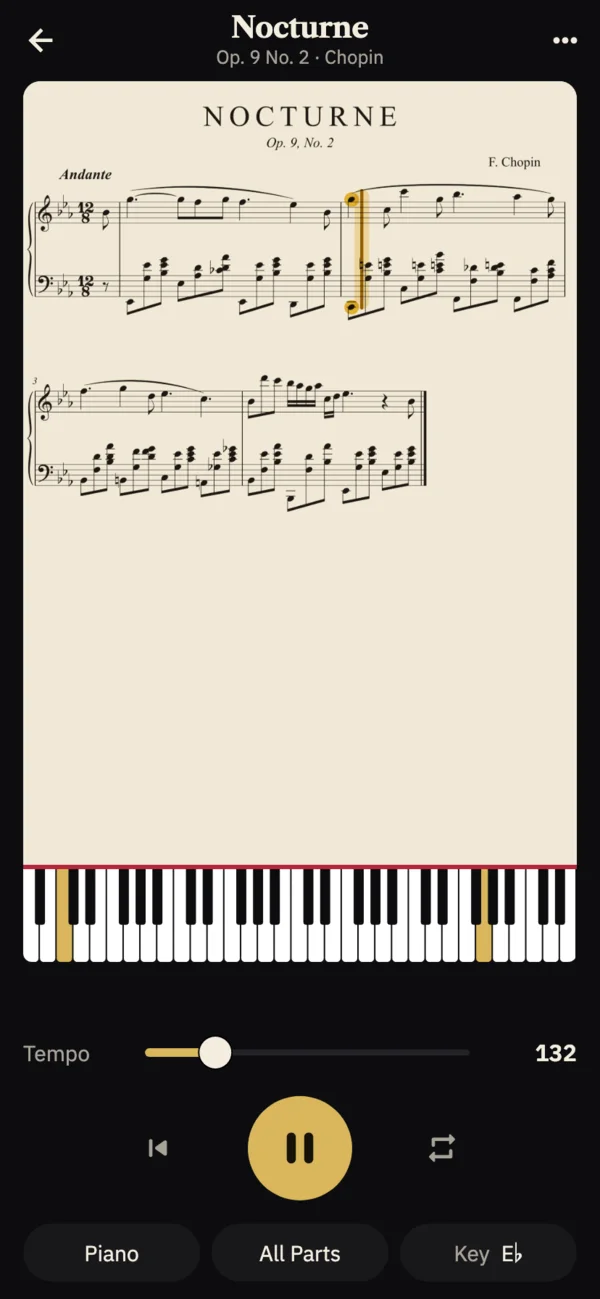
A sheet music scanner in your pocket
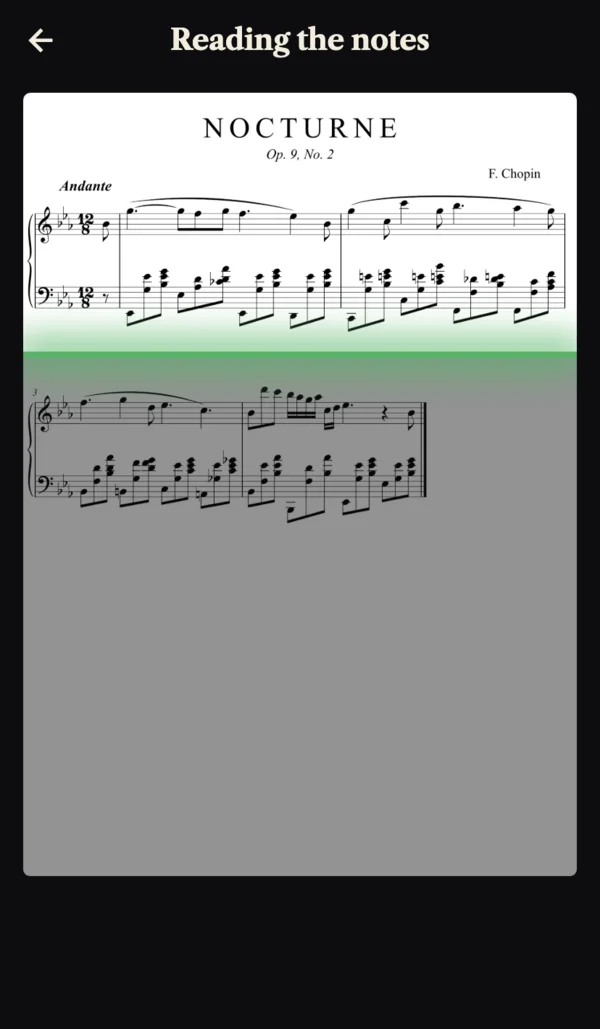
Point your phone at a printed page. The scanner finds the page and flattens it, and the app reads the notes right on your phone.
If the light or focus is off, it tells you before it starts, so you can take the photo again.
A note reader for every note
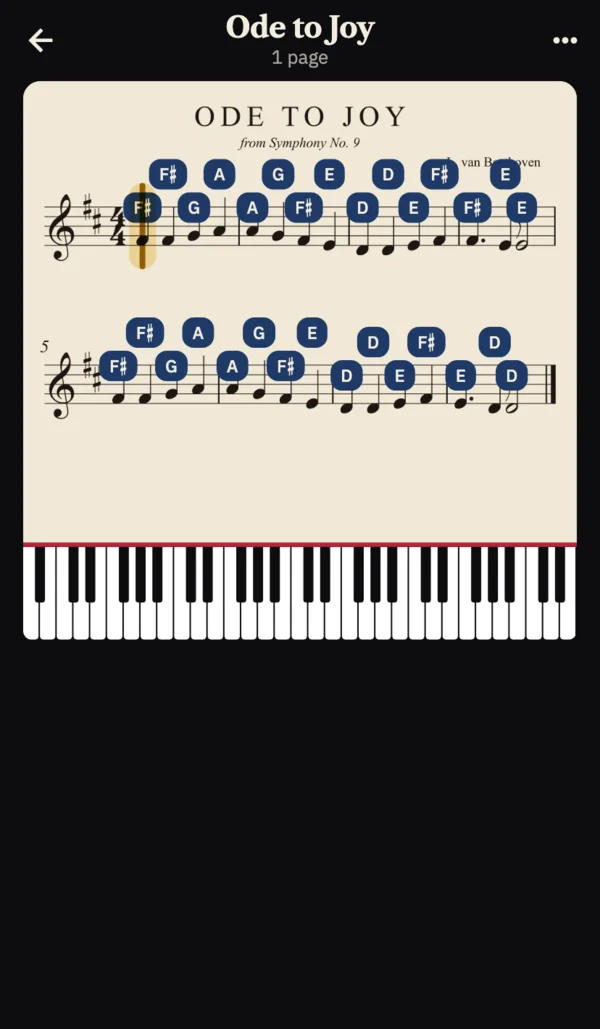
Still learning to read music? Turn on note names and every note shows its letter, right on the page, sharps and flats included.
Follow along as it plays, and the names start to stick.
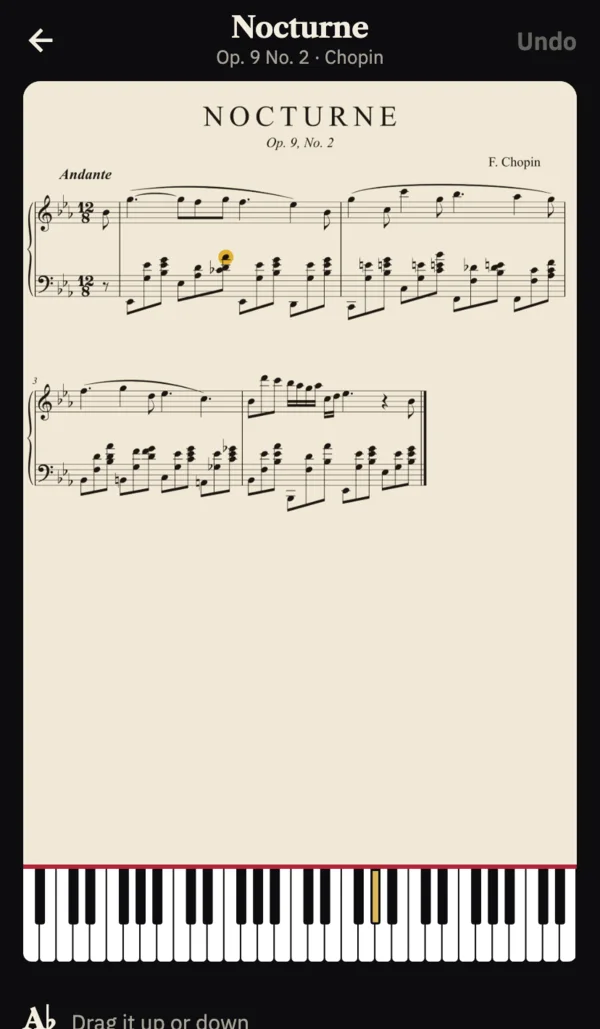
Fix any note in a tap
If a note came out wrong, tap it. Drag it up or down to the right line, make it shorter or longer, or add or remove a sharp or flat.
The playback follows your fix right away.
A sheet music player for choirs too
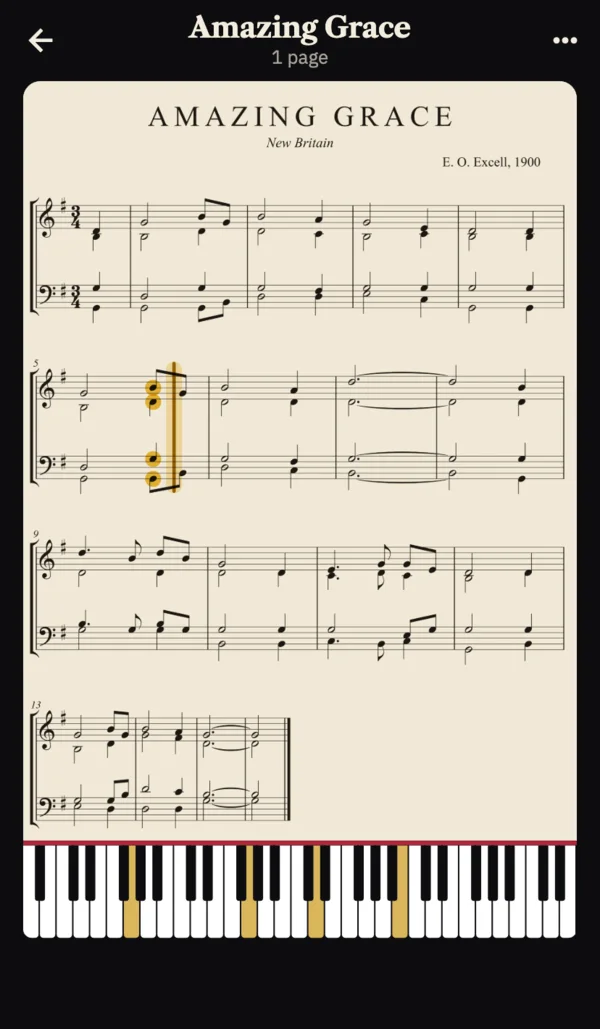
Scan a hymn and hear it sung as a choir, or played on piano or violin. Hear your part before rehearsal instead of guessing at it.
The tempo slider changes the speed while it plays, so a hard passage can go slow until it's ready.
Made for practice
Your own page
Playback happens on your photo, cleaned up: straightened, shadows gone, ink on ivory.
Any speed
Slow a tricky bar right down, then bring it back up to tempo as you learn it.
Samples to try
A piano nocturne, a hymn for choir and a simple melody are ready before you scan anything.
A sheet music reader for every musician
- Piano students practicing at home
- Choir singers learning their part
- Church musicians and worship teams
- Adults learning to read music
- Music teachers preparing lessons
- Parents helping with practice
Learn to read music
Treble and bass clef notes
Every note of both clefs on a chart you can tap and hear, the sayings for the lines and spaces, and a note quiz.
See the chart →How to read sheet music
Seven short steps from the staff to note values, time and key signatures, then a first melody to play along with.
Start reading →Music symbols
62 signs you'll see in sheet music, each drawn, named and explained, from clefs and rests to dynamics and repeats.
See the symbols →Key signatures
All 15 key signatures in treble and bass clef, the order of sharps and flats, the circle of fifths, and a quiz.
See every key →Questions
Is Sheet Music free?
Yes. Sheet Music is free to download and has no ads. Scanning, playback, note names, fixing notes and tempo are free with piano, choir and violin, and your library keeps a few pieces. An optional subscription adds every instrument, hear my part, transpose, loops, more pieces and scores with more than one page.
How does it work?
Point your phone at a printed page. The scanner finds the page and flattens it, the app reads the notes, and then it plays them back over your own page with a cursor that moves along as each note sounds.
What sheet music can it read?
Printed sheet music on a staff, like piano pieces, hymns and simple melodies. A clear, flat page in good light reads best. If the light or focus is off, the app tells you so you can take the photo again.
What if it reads a note wrong?
Tap the note and fix it: drag it up or down to the right line, make it shorter or longer, add or remove a sharp or flat, or remove it.
Can I slow the music down?
Yes. The tempo slider changes the speed while the music plays, so you can learn a hard passage slowly and speed it up as you go.
Which devices does it run on?
iPhone and iPad from the App Store, and Android phones and tablets from Google Play.
Hear your next piece tonight
Scan a page you're learning and hear how it goes in under a minute.

