Make your attendance sheet
Fill in the left side and the sheet builds itself. Print it blank to fill in by hand, or tap the boxes to mark it here. Everything stays in this browser.
Attendance sheet
Class ______________________________ Teacher ______________________________
- PPresent
- AAbsent
- LLate
- EExcused
Tap a box to cycle P, A, L, E and back to empty. The rate counts late as present.
What goes on an attendance sheet
Keep it to what you'll actually use: who, when, and one mark per session.
The parts
- Class and month at the top. One sheet per class per month keeps it easy to find later.
- Students down the side. Full names, in the same order every month, so rows line up across sheets.
- One column per session. Only the days the class meets, not every day of the month.
- Totals at the end of each row. Days present and a rate, so problems show before the end of term.
Attendance codes
- P
- Present. There for the session.
- A
- Absent. Missed it without a reason given.
- L
- Late. Came, but after the start. Usually counts as present.
- E
- Excused. Missed it with a reason, like illness or a school trip. Follow your school's rules on how excused days count.
Paper, spreadsheet or app?
All three work. Pick the one that fits how often you meet and who needs the numbers.
Paper sheet
Print a sheet per month and mark it with a pen.
- Good
- No device, nothing to learn, works anywhere.
- Watch
- You add up the totals by hand, and sheets get lost.
Spreadsheet
The Excel template, in Excel, Google Sheets or Numbers.
- Good
- Totals and rates add themselves up, and it's easy to share.
- Watch
- Fiddly to mark on a phone at the start of class.
Attendance app
An app like Attendance Tracker, where you tap who's here and each session saves itself.
- Good
- Fastest at the door, with a live headcount and a calendar of every session.
- Watch
- Everyone who marks needs the app on their phone.
Track attendance in Excel or Google Sheets
Building your own sheet? These are the formulas the template uses, with students in rows and days in columns B to AF.
Days present for the student in row 5:
=COUNTIF(B5:AF5,"P")Days absent, and the same for late ("L") and excused ("E"):
=COUNTIF(B5:AF5,"A")Attendance rate, counting late as present, out of every session marked:
=(COUNTIF(B5:AF5,"P")+COUNTIF(B5:AF5,"L"))/COUNTA(B5:AF5)Headcount for the day in column B:
=COUNTIF(B5:B34,"P")+COUNTIF(B5:B34,"L")
Skip the paper at the door
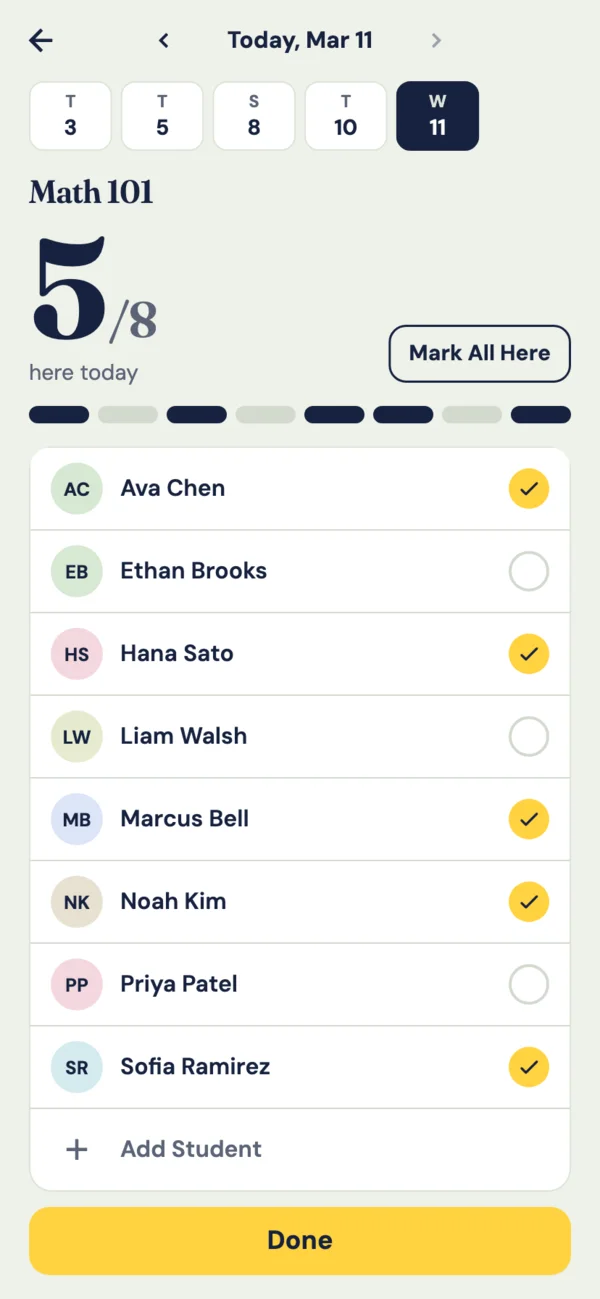
Attendance Tracker turns the sheet into a few taps: tap who's here, watch the headcount, and every session lands on the class calendar by itself. Free for iPhone and Android, no ads.


Questions
How do you make an attendance sheet?
List your students down the side and the days the class meets across the top, one column per session. Leave room for a mark in each box and totals at the end of each row. The sheet maker on this page builds it for any month from your names and class days.
What do P, A, L and E mean on an attendance sheet?
P is present, A is absent, L is late and E is excused. Many schools and groups use these four letters, but follow your own school's codes if it has them.
How do you track attendance in Excel?
Put students in rows and days in columns, and type P, A, L or E in each cell. A COUNTIF formula at the end of each row counts the marks, and a second formula turns them into a rate. The Excel template on this page has the formulas, dropdowns and colors set up.
How do you calculate attendance percentage?
Divide the sessions a student attended by the sessions you marked, then multiply by 100. A student who came to 18 of 20 sessions has 90% attendance. Whether late counts as present and whether excused days count at all is up to your school or group.
Does the template work in Google Sheets?
Yes. Upload the Excel file to Google Drive and open it with Google Sheets. The dropdowns, colors, totals and rates keep working. It also opens in Apple Numbers.