 Attendance Tracker
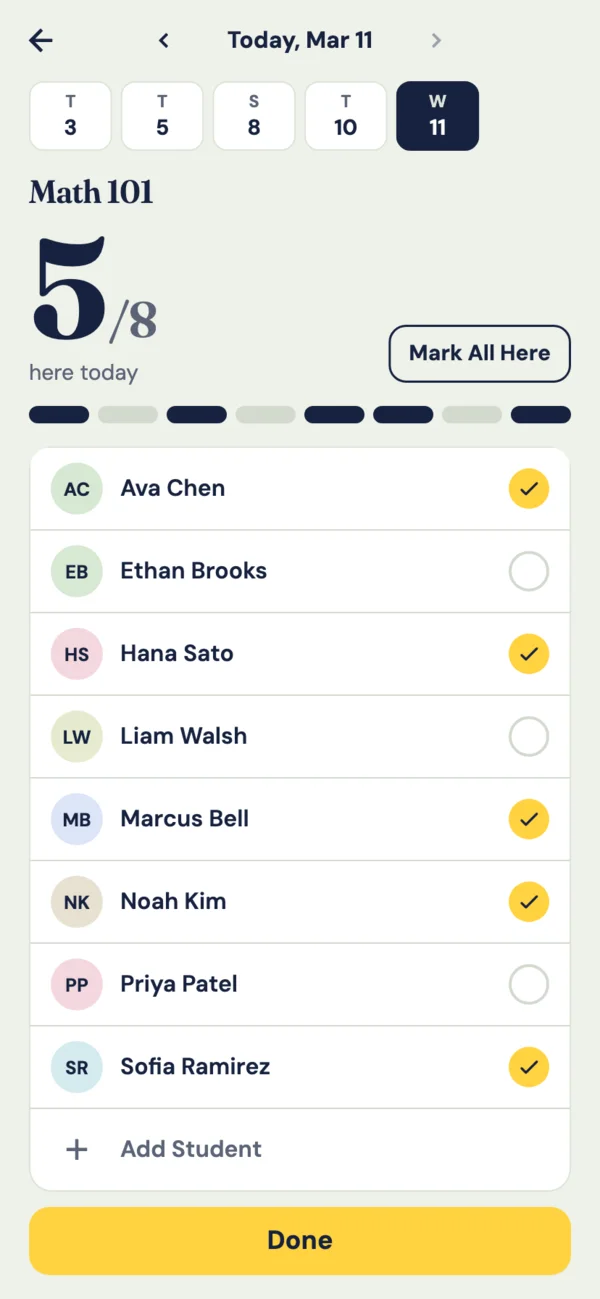
A class attendance app that knows your day
Today opens on the class you teach now, learned from the days you usually meet. There's no schedule to set up.
Its card shows the live headcount as you mark, and every other class is one tap away.
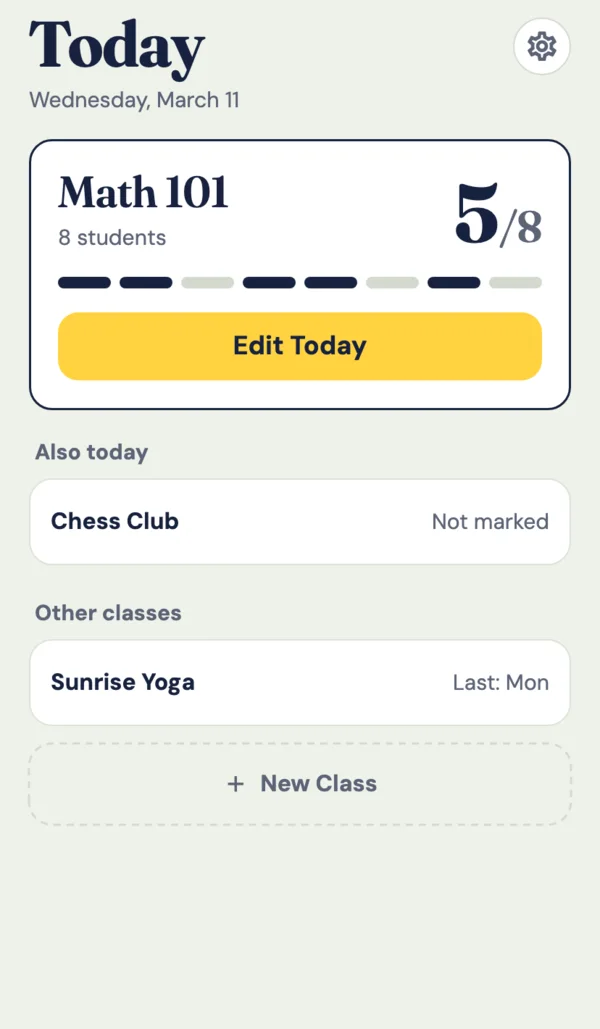
Every session on one calendar
Each class keeps a calendar with the headcount for every day it met, and who was away under each session.
Forgot someone last Tuesday? Open that day and fix it in a few taps.
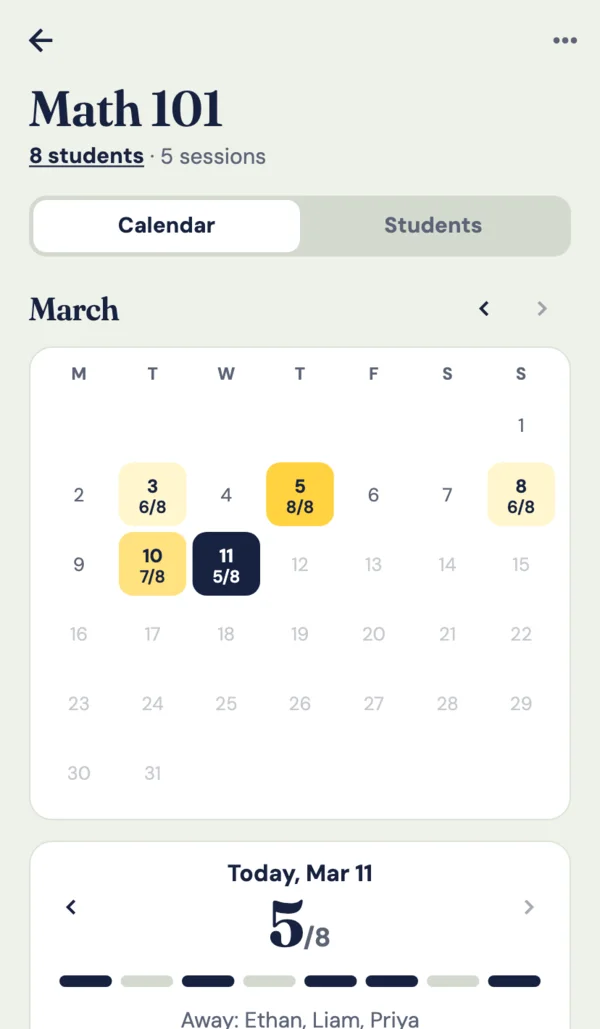
An attendance register for the whole term
The register lines up recent sessions side by side: a check for here, a ring for away. Patterns jump out before they become a problem.
See each student's attendance rate, and export the register to Excel or CSV when the school office asks for it.
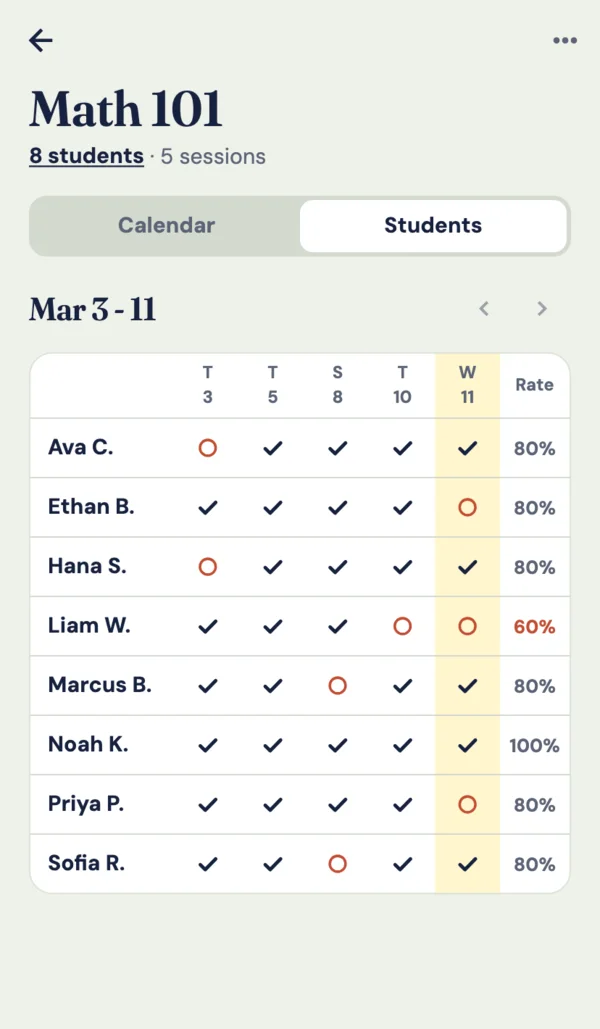
Made for the start of class
Mark All Here
Everyone showed up? One tap marks the whole class, and you're done.
No account
Add your students and start. Your classes stay on your phone and work without a connection.
Any group
Classes, practices, lessons and clubs. If it meets again and again, it fits.
An attendance app for every kind of class
- School teachers taking class attendance
- Sports coaches tracking who came to practice
- Tutors and music or dance teachers
- Fitness and yoga instructors
- Church and Sunday school leaders
- Youth group and club leaders
Questions
Is Attendance Tracker free?
Yes. Attendance Tracker is free to download and has no ads. Marking attendance is always free, and so is your full session history. An optional subscription adds attendance rates, Excel and CSV export, and more classes and students.
How do I take attendance with it?
Open today's class and tap each student who's here. Their circle fills with a check, the headcount updates as you go, and Mark All Here covers the days everyone came. The session saves itself.
Can I fix a past session?
Yes. Open the class calendar, tap the day, and change who was here. The headcount and the register update right away.
Can I export attendance to Excel?
Yes, with the optional subscription. You can export a class's attendance to Excel or CSV, and see every student's attendance rate.
Is it only for schools?
No. It works for any group that meets again and again and needs a roll call: sports practices, music and dance lessons, fitness classes, tutoring, clubs and Sunday school.
Do I need an account or internet?
No. There's no account to create, your classes stay on your phone, and it works without a connection.
Which devices does it run on?
iPhone and iPad from the App Store, and Android phones and tablets from Google Play.
Ready for today's class?
Add your students once and mark your first session in under a minute.

